Cameras
The Cameras option on the navigation bar allows you to visualise and report on all the cameras across all your G-Health Clients.
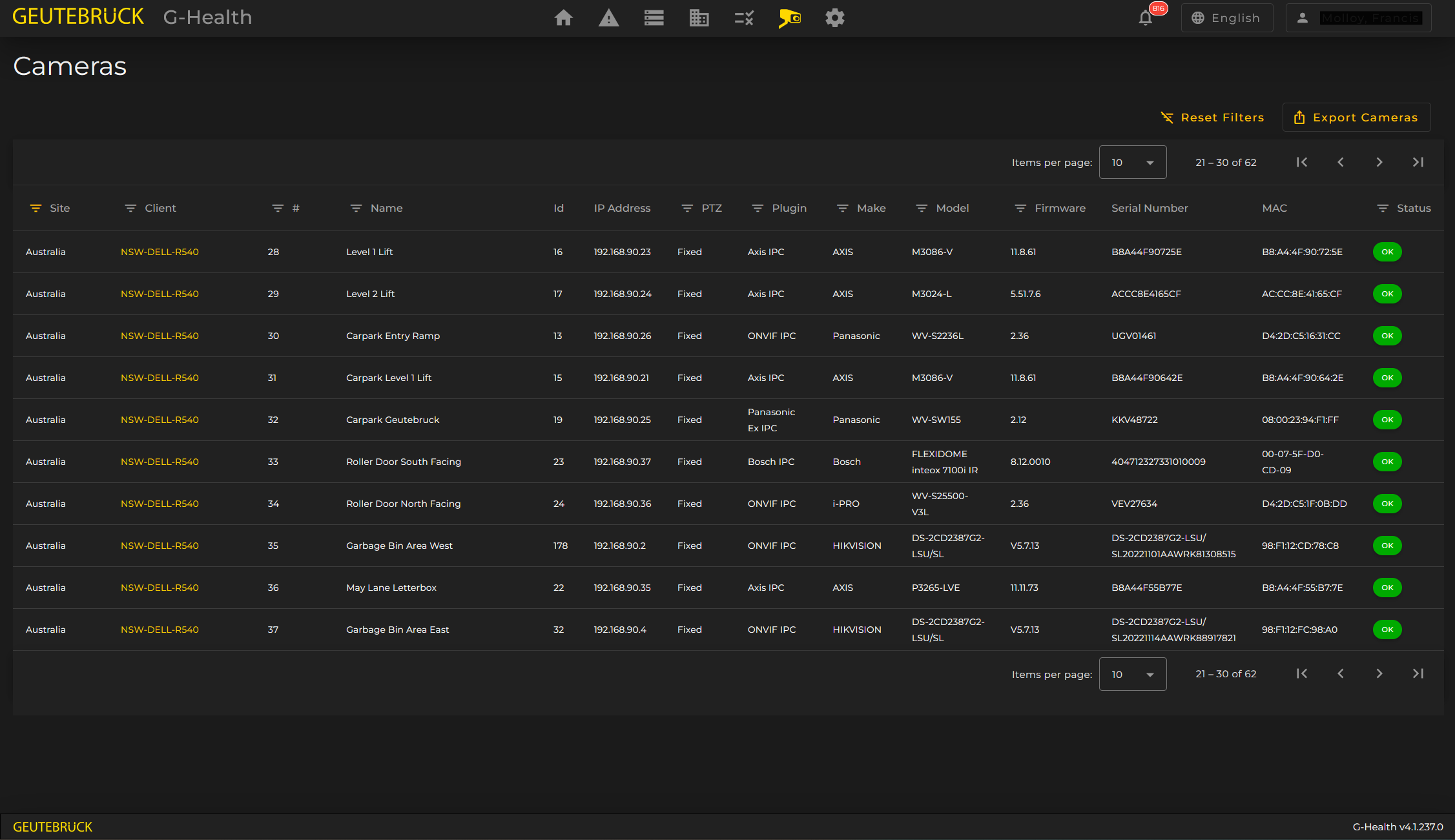
In this screen you can see, filter and export the following information for every camera:
- Site
- Client
- Camera Global Number
- Camera Name
- Camera Id (Internal media channel Id)
- IP Address
- Whether it is a PTZ camera
- Camera Plugin type
- The Camera's current Health status
In addition to the above G-Health also attempts to maintain up to date information by querying the Camera itself. This can show us:
- Camera Make / Brand
- Camera Model
- Camera Firmware Version
- Camera Serial Number
- Camera MAC Address
Info
This extended functionality may unavailable or only partially available with some camera makes or models.