User Management
To Add or Remove users from G-Health Navigate to 'Settings' on the navigation bar. Then click on the 'User Management' tile.
Creating a New User
- Click the 'Add User' () button.
- Fill in the user details and select one of the security groups.
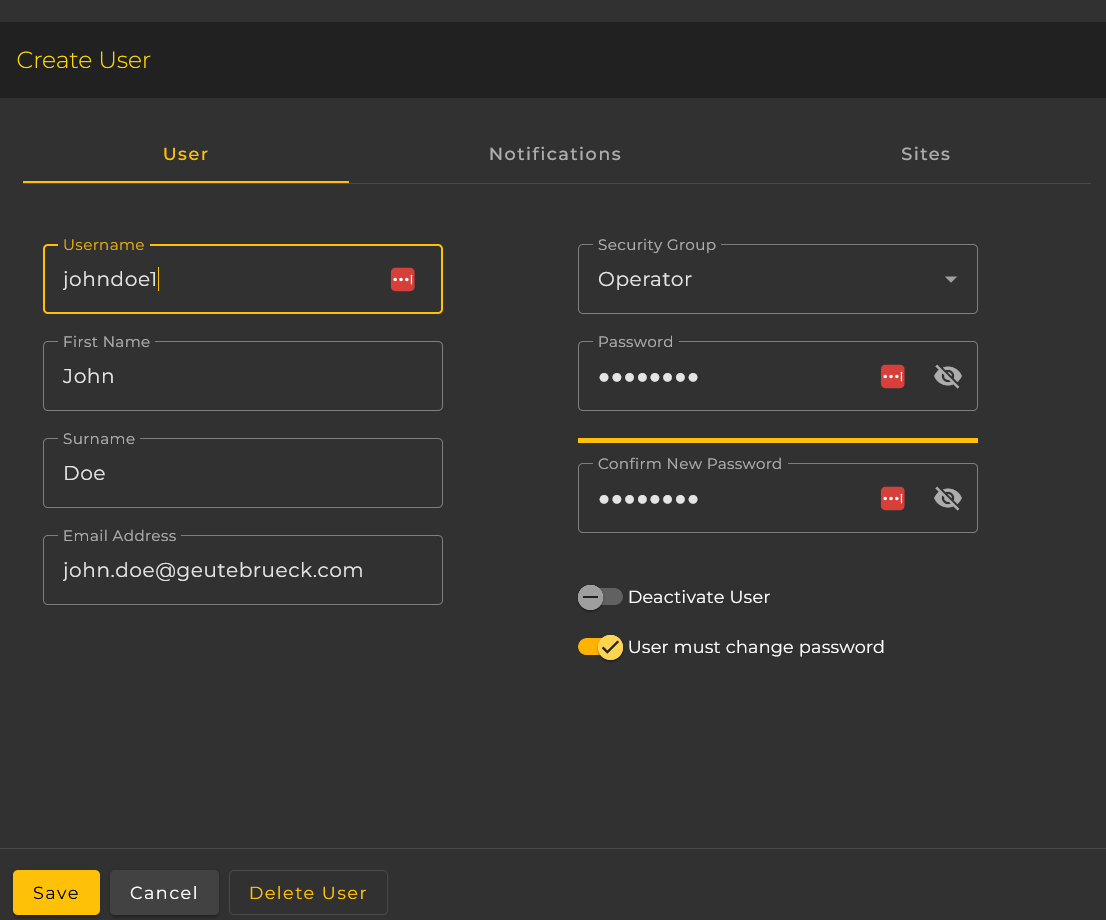
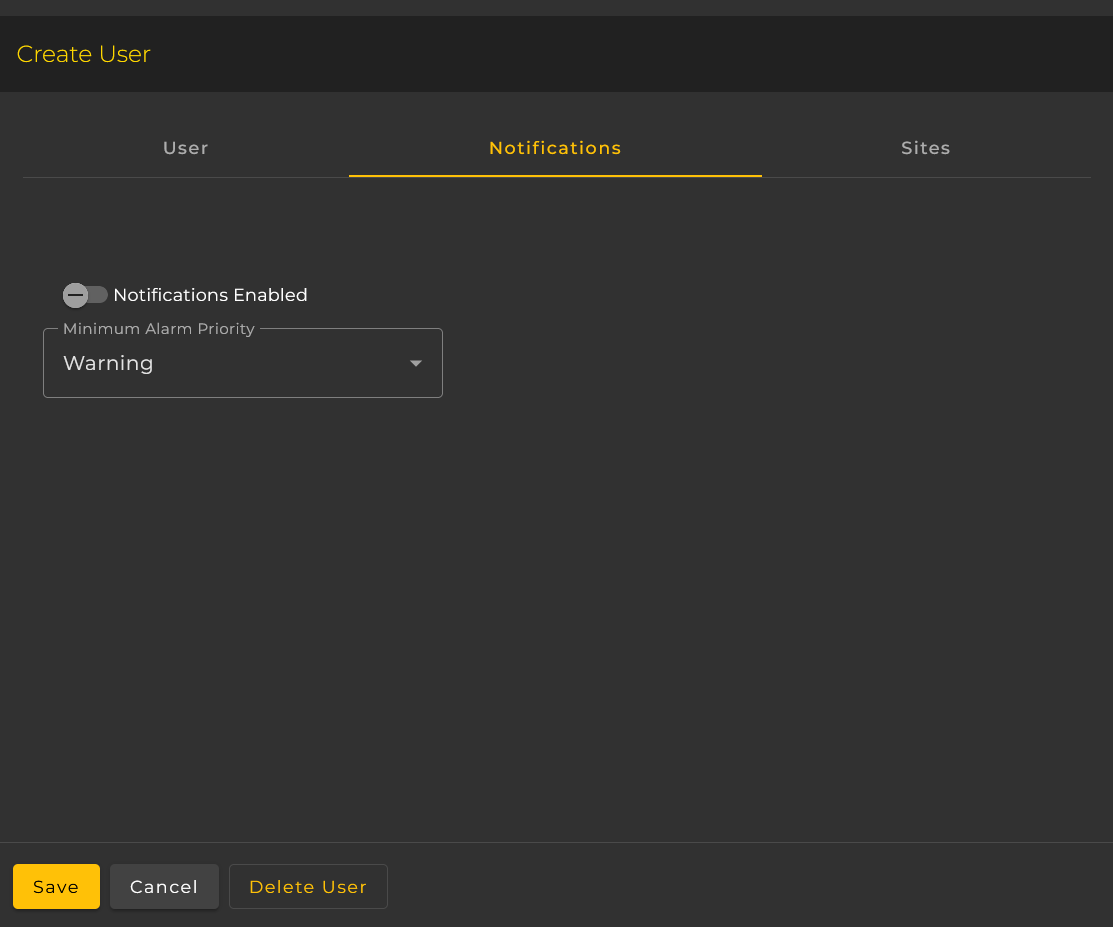
- To enable the user to receive alarm notification:
- Enter the email address for the email notifications.
- On the notifications tab check the 'Enable Alarm Notifications' checkbox.
- Select the minimum alarm priority for email notifications.
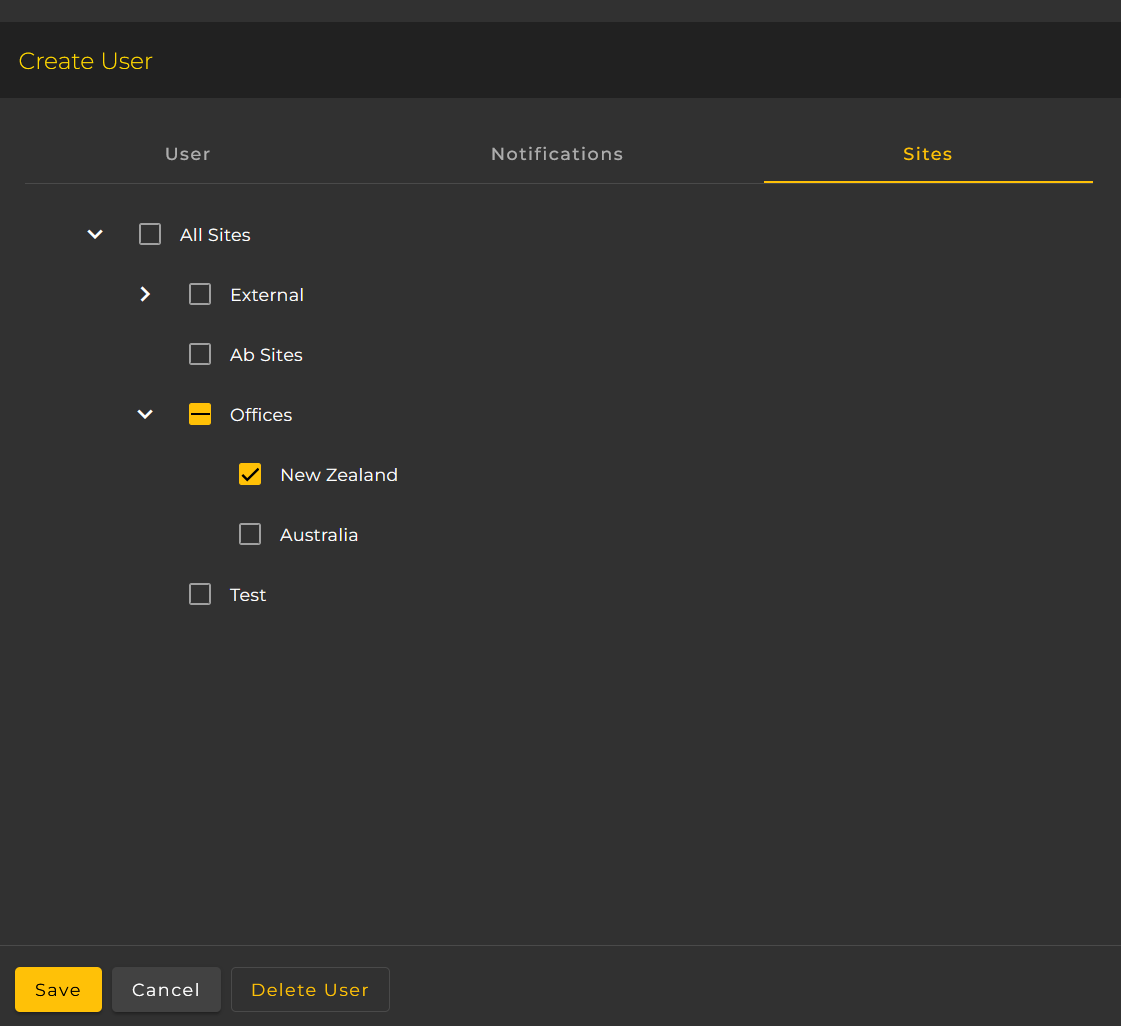
- Select the sites which the user has access to. If a user does not have access to a site then the site's clients and alarms will not be visible to the user.
User Security Group Permissions
| Function | Administrator | Operator | Read-Only |
|---|---|---|---|
| Administration: | |||
| Access Settings Menu |  |
 |
|
| Create Users | |
|
|
| Delete Users | |
|
|
| Delete Client | |
|
|
| Rename Client | |
|
|
| Assign Client Site Group | |
|
|
| Create Site Group | |
|
|
| Delete Site Group | |
|
|
| Create Rule | |
|
|
| Delete Rule | |
|
|
| Modify Rule | |
|
|
| Operation: | |||
| View Alarms | |
|
|
| Acknowledge Alarms | |
|
|
| Archive Alarms | |
|
|
| Make Alarm Notes | |
|
|
| Export Alarms | |
|
|
| Download NVR Configuration File | |
|
|
| View Clients | |
|
|
| Export Clients | |
|
|
| View Camera Details | |
|
|
| Export Camera Details | |
|
|