Notifications
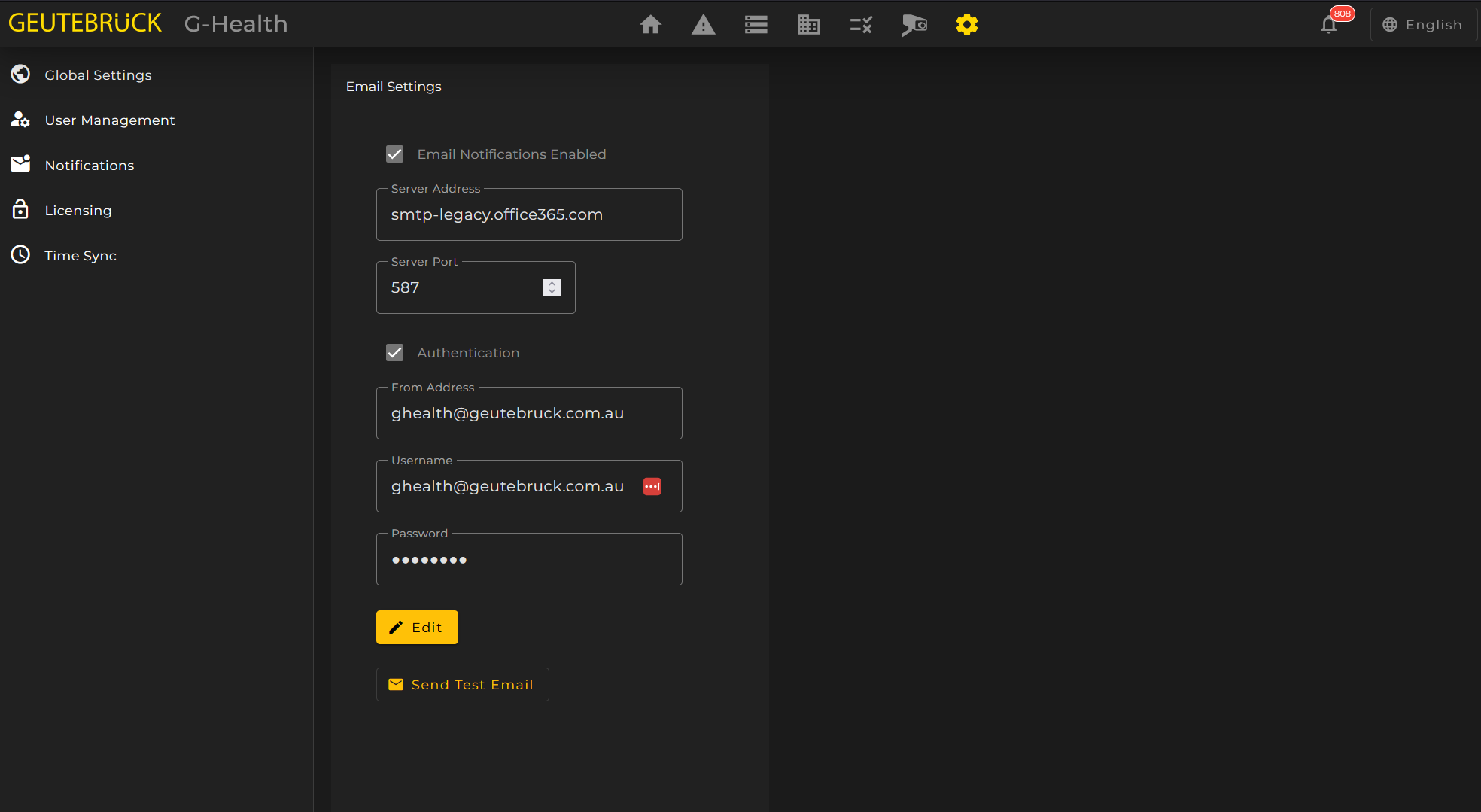
To Configure Email notifications Navigate to 'Settings' on the navigation bar. Then click on the 'Notifications' tile.
- Click the 'Edit' button.
- Check the 'Email Notifications Enabled' check box.
- Enter the SMTP server details in the configuration fields.
- Click the 'Save Changes' button.
To test the new settings you can click on the send Test Email button. You will be prompted to enter an email address to send a test email to.